Hello @stevec ...
Unfortunately, I am unable to replicate what you might be experiencing. I am also not aware of any recent changes that Instructure would have made to the SpeedGrader or accessing submitted work. [You can review the archive of Canvas Release Notes and Canvas Deploy Notes at this link: Canvas Release Archive - Instructure Community (canvaslms.com).] In my own sandbox course, I created a new assignment. I also created a brand new *.docx file on my laptop. Once I did both of those things, I went to Student View to submit the *.docx file to the assignment. I then returned to my instructor view of the course, and then I went to the SpeedGrader. The document I had submitted as a student appeared as expected...as shown here:
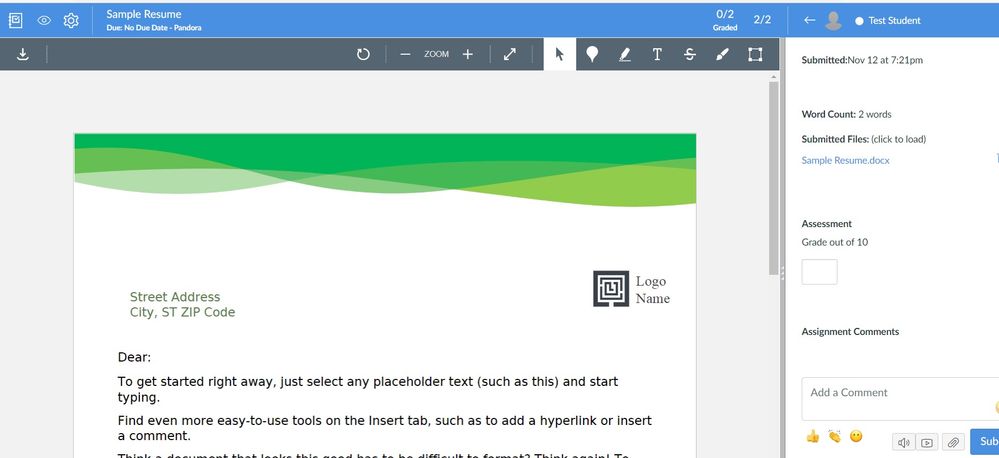
Here are a handful of things you might try:
- Try a different browser to see if the behavior you are seeing in Canvas is any different. In general, Google Chrome and Mozilla Firefox are good browsers to use when navigating around Canvas. What are the browser and computer requirements for Instructure products?
- Try clearing your browser history/cache. After you do that, close your browser, re-start the browser, and then log back in to Canvas to see if anything has changed for the better.
Please keep Community members posted on your progress with trying some of the above suggestions...thanks!