
[ARCHIVED] Google Assignments LTI

- Mark as New
- Bookmark
- Subscribe
- Mute
- Subscribe to RSS Feed
- Permalink
- Report Inappropriate Content
09-30-2020
03:28 PM
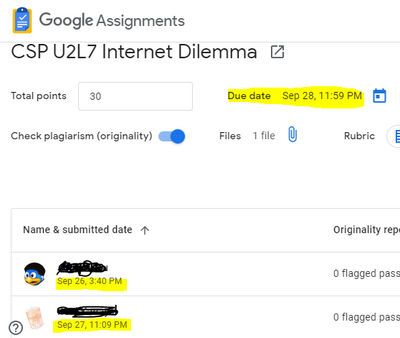
I assigned a Google Assignments LTI last week. My students submitted it before the due date. I graded it a couple days later and returned their submissions. I noticed that canvas marked all my student submissions as late by 2 days and marked down their points. When this happened last week I assumed I had made a mistake when I assigned the due dates. But today I was able to verify the date that is used is the date I graded the assignment instead of the date the students submitted their assignment.
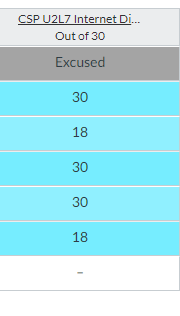
All submissions marked late.
Submission dates well within the due date/time




This discussion post is outdated and has been archived. Please use the Community question forums and official documentation for the most current and accurate information.