@KietVo
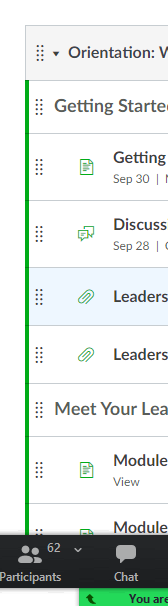
The existing CSS to change the accent bar is
.ig-list .ig-row.ig-published:not(.student-view)::before {
  background-color: #00ac18;
}
You will need to supply a custom CSS file to override that. You will want to make sure that your CSS selector is more specific than the default to make sure yours overrides theirs.
For example, this will change the bar to orange.
#context_modules .ig-list .ig-row.ig-published:not(.student-view)::before {
  background-color: orange;
}
To change the color for the icon, you can use
#context_modules .ig-list .ig-row.ig-published:not(.student-view) .ig-type-icon {
  color: orange;
}
You mentioned classroom, but I want to make sure you realize that changing the theme affects all courses within the account, not just those for a single course.





This discussion post is outdated and has been archived. Please use the Community question forums and official documentation for the most current and accurate information.