The Instructure Community will enter a read-only state on November 22, 2025 as we prepare to migrate to our new Community platform in early December. Read our blog post for more info about this change.
Hello everyone,
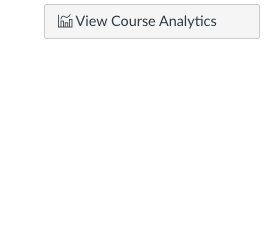
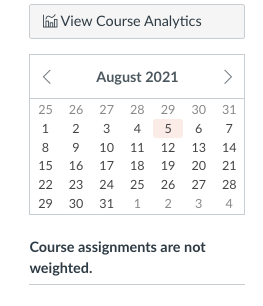
I've noticed that some courses have a mini calendar on the right side of the course, while other courses do not. Is there a way to enable the mini calendar? In the images below you can see one course has the mini calendar and one does not. Any advice?
Solved! Go to Solution.
Good eye, @RyanLahti ! That small calendar populates the home page of a course when the instructor has chosen to use the Syllabus page as the course home page; the other home page choices do not display the calendar in the right sidebar but instead provide a View Calendar link that directs users to the same full page calendar that can be accessed from the global navigation.
I'm assuming you're a student, and if that's the case, you might want to let the instructor of the course without the calendar know more about how having it on the home page would enhance your course experience.
Good eye, @RyanLahti ! That small calendar populates the home page of a course when the instructor has chosen to use the Syllabus page as the course home page; the other home page choices do not display the calendar in the right sidebar but instead provide a View Calendar link that directs users to the same full page calendar that can be accessed from the global navigation.
I'm assuming you're a student, and if that's the case, you might want to let the instructor of the course without the calendar know more about how having it on the home page would enhance your course experience.
Thank you!!
Community helpTo interact with Panda Bot, our automated chatbot, you need to sign up or log in:
Sign inTo interact with Panda Bot, our automated chatbot, you need to sign up or log in:
Sign in
This discussion post is outdated and has been archived. Please use the Community question forums and official documentation for the most current and accurate information.