Hi @maguire - Yes, but let Canvas do it automatically. I just now tried this on a sample class to make sure this still worked, and it does. Here's what to do.
-Know the number of students you have. 🙂
-Create a New Group set named what you like.
-At the dialog box, set it to what you see below. Note that you are NOT enabling the "I'll create groups manually" radio button but rather letting Canvas do it automatically. Also, you are NOT allowing self-sign up. The area circled, below, should be equal to your number of students:
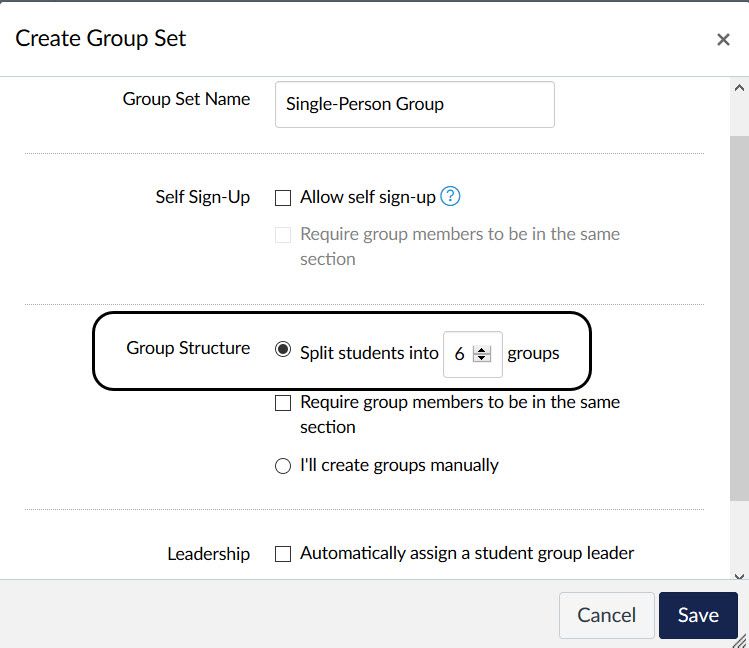
-Click Save and presto! Instant one-person groups.
That should do it. I do not think there is a group limit within that set, so I admit I haven't tried this on a class with 100 students, but this trick should work for you.
Hope this helps, Gerald!





This discussion post is outdated and has been archived. Please use the Community question forums and official documentation for the most current and accurate information.