Hi @bhaus!
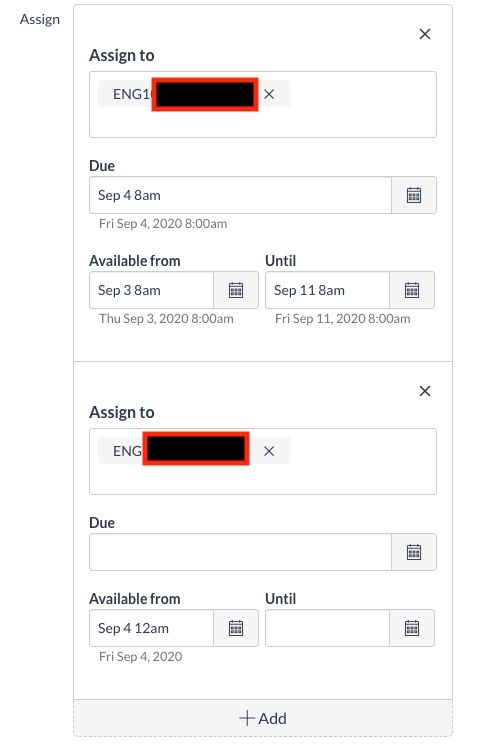
Glad you reached out! Have you tried the "Assign to" option within the assignment details? If teachers assign to only Period 1 and remove "everybody else", only the Period 1 students will be able to view the assignment. Period 2 students will not be able to see the assignment at all.
If the availability dates are included, Period 1 students (Trial-02 in my image example) would not have access to assignment details and content until the available date and time. Period 1 students may see a "link" or name of the assignment on the modules page or in the course summary, but they will be restricted from viewing the actual details and such.

The assign to settings are also available within other activity pages such as quizzes and discussion boards.
Read more:
How do I assign to a course section?
How do I assign an assignment to an individual student?
Hope that helps! If I misunderstood your question, please let me know!






This discussion post is outdated and has been archived. Please use the Community question forums and official documentation for the most current and accurate information.