I understand 100% @lgekeler . Here's how I break down an API call from the Canvas documentation into Postman
- I use Collections. Easiest way for me to organize. In the collection I can set:
- Production and test domain URL variables
- Production/test API token variables
- Other useful variables (e.g., my sandbox course ID)
- I've started using folders because with the Postman Runner, where you can process a CSV list of many operations at once, you can run all operations in a folder for a given line in a CSV. This is helpful for semi-automating some processes. For example, I created a workflow to enroll a user in a past course that first sets a future end date, then enrolls the user in the specified section, then reverts the end date back to the original state. All with fairly simple API calls and no real programming.
- Collections can also house your Authorization setup. Set as Bearer Token and use your collection variable for prod or test token as default, change in an individual call if you're testing/moving to production.
- There are more complex things you can do like saving the results to a CSV -- there's a neat little script somebody wrote that doesn't work exactly like I need, but it does a great job of getting me 85% of the way there and cuts down on days of labor for our bookstore.
For the Canvas Rest API documentation, pick an API call and look at how it's written. It very closely matches Postman, it's just missing a few key elements.

This tells you it's a GET request, that you can choose the "scope" (do you want all the enrollments within an entire course, just from a single section, or a user's list of enrollments), and what information you need in the form of an ID for course, section, or user. Choose the scope you want and copy from "/api..." through the end of the call. Go to Postman, create a new request in your Collection/Folder, make sure the HTTP method matches (GET in this case), and paste into the box that says "Enter the request URL".
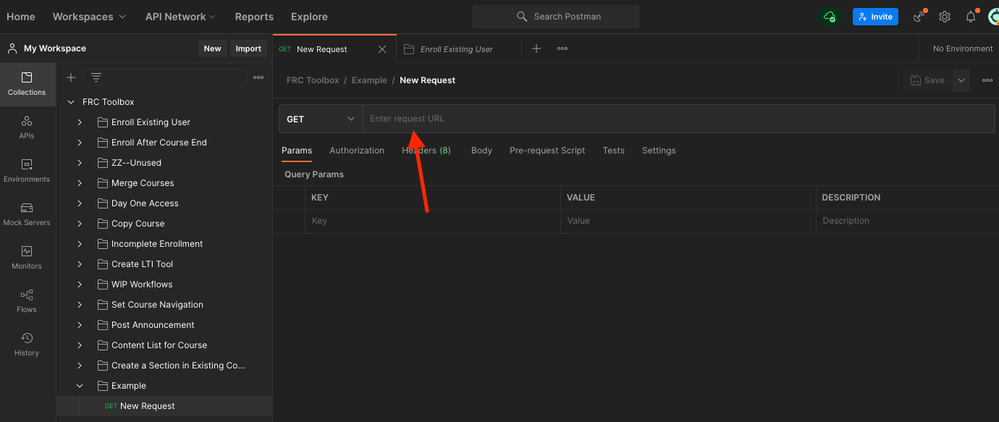
Now you should have something that looks like this, and notice that whatever scope you chose, the :scope_id changed into a path variable:
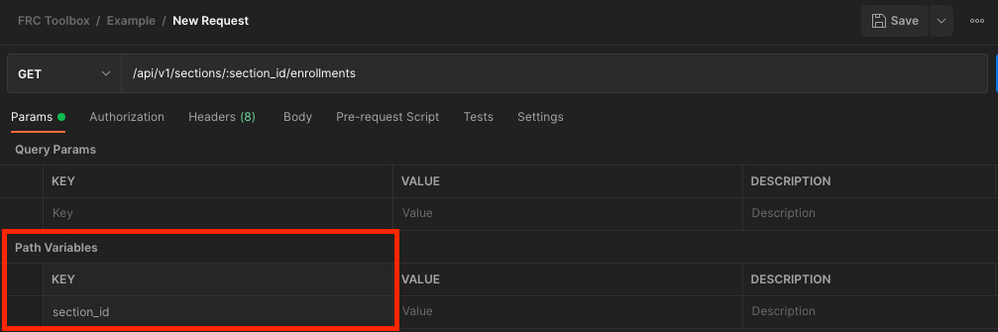
Now go in and enter your Canvas URL or your Collection variable that represents it before "/api..." to complete the request URL. That's all you need to enter manually up top. The rest all goes in the Query Params section (for the most part). Look at the next section of the Canvas Rest API documentation and choose which query parameters you want to filter your request by. Some calls have a LOT, some have very few options.
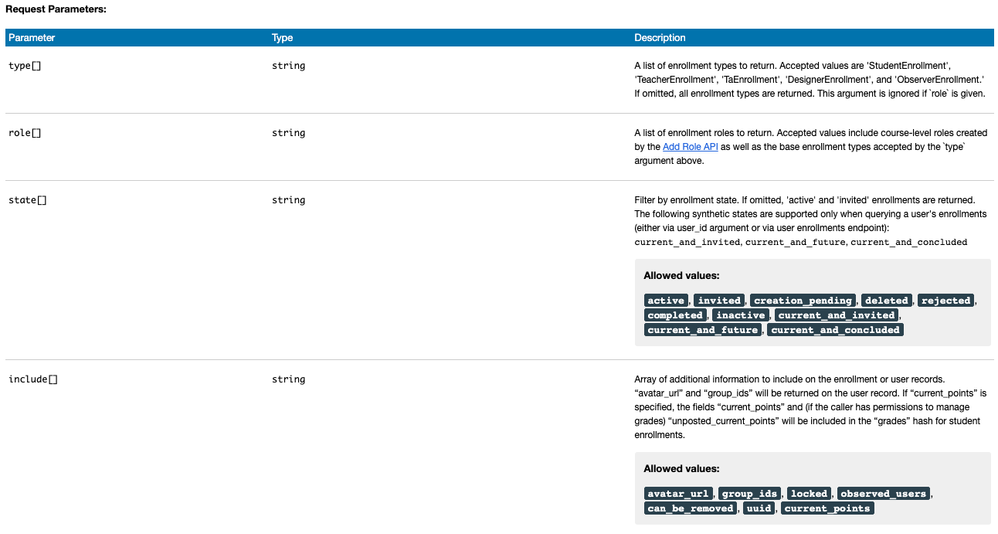
Copy the parameter text (or type it exactly) and paste it into the column in Postman under Query Params where it says "Key".
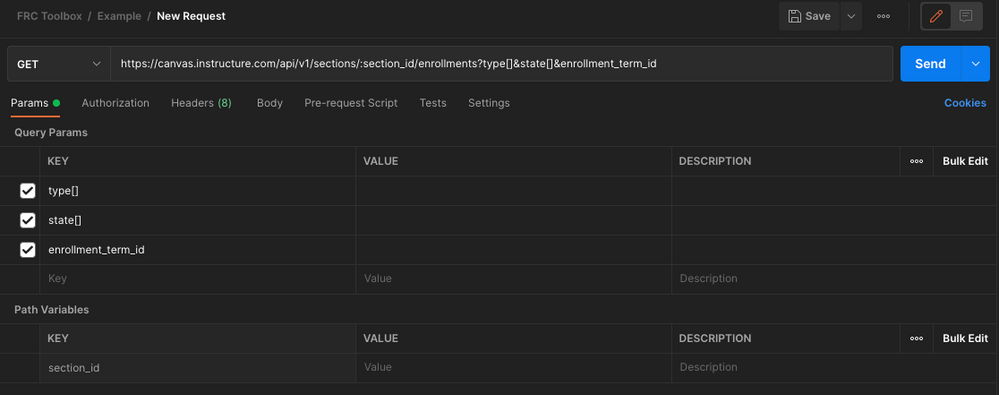
Now figure out values. Some are unique Canvas IDs, which are hard to figure out. The Object IDs page is the most useful thing I've stumbled across because I know what our SIS ID architecture is and can query based on that model very easily.
I'll stop there, but can share out more if you're interested. I love Postman, it has helped me grow from API-interested to API-obssessed!




This discussion post is outdated and has been archived. Please use the Community question forums and official documentation for the most current and accurate information.