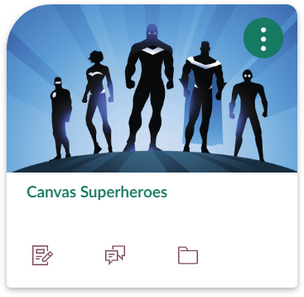
I have very, little experience with coding but I can follow a guide and happy to explore. One thing I have done is made a few design changes to the course card and Modules:
Curving the Course cards:
Changing the Module Banner background, increasing the font size and colour of the Text header and adding emojis to activities/resources:
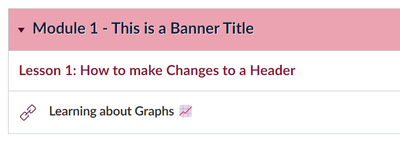
(working on this to create our own emojis for easy signposting/identifying key features):
Appreciate that I may have to updates some of this when external changes happen.
I'd like to go a bit further and alter the font style too with a Google font but would need a location to store the fonts and a bit more practice..
Whilst not about Modules, the work on accordion replacements is really stunning - Solved: Re: Accordion Alternative - Details tag - Instructure Community (canvaslms.com)
Had a play and ....

And a slightly different design:
Alos had a play with the icon maker in trying to create a menu splash page. Still a bit fankley in terms of getting banners to be the same size (am sure there is some code to fix this - see picture for Module 2 below!).:

When I hyperlink the icons to go to the Modules, I try to find the URL of the module itself. The only way I know how is to inspect the element by right clicking and then trial and error. By adding the URL of the Module, when you click on the link it pushes the module to the top of the page.
I remember there being some code ages ago shared on the Community about automatic opening and closing of modules. It would be great to have all the other modules close and just the one you clicked on stay open!
Am sure someone could come up with this very easily...
As for pre-requisites, have recently used these to create a sort of breakout room in Modules. I'll try to blog about this soon....