@dm200400600
I can't tell from all the screenshots if you are doing it completely correct. Plus I am not 100% sure if I understand your setup. You are looking at the correct documentation to do what you want. I am assuming that this assignment is a separate assignment that is to be sent to your retakes section - the first assignment is assignment 1 given to everyone and the retake assignment is assignment 2 given to students in retake.
In any case, you should be able to assign an assignment to a specific set of students where the others cannot/will not see it.
My question is with the retakes section shot - My guess is that section has all the students in it that you want to retake/redo the assignment.
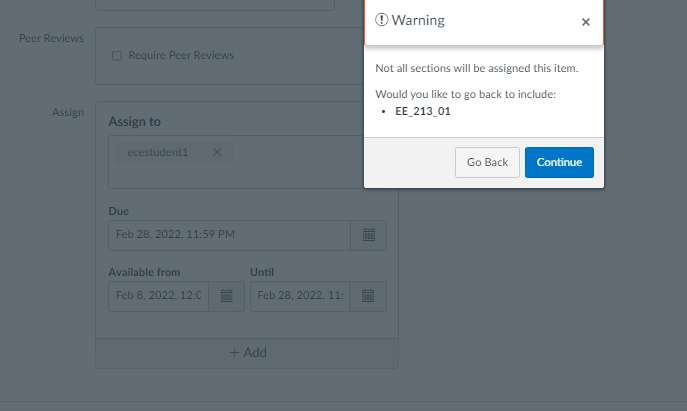
When you are making the assignment first click on the X next to everyone so that no one is set to take the assignment, then click on the retakes section from the list. Everything else is done time wise as you show. (you may have done these steps, but I cannot tell based on the screen shot that just shows the retakes section). when you save a dialog box should come up asking about the missing people not assigned to the assignment - do not assign them by selecting the continue response to the question to not assign to the missing people. In regards to the above, your first pictures shows section B and A and everyone else for the assignment - that is what you see when there are multiple groups of students/sections with different dates and times for the assignment.
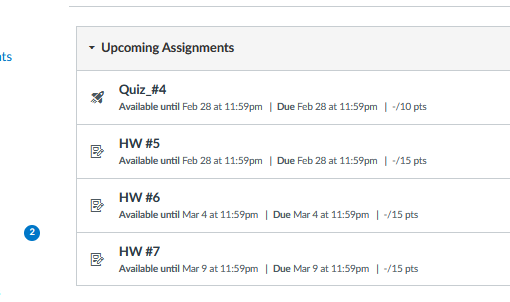
The attached pictures show the process and then the last one shows the assignment view for ecestudent2 which is in the same class as ecestudent1, Student1 gets the assignment, student 2 does not.
Please reply back if I misunderstood your issue.






This discussion post is outdated and has been archived. Please use the Community question forums and official documentation for the most current and accurate information.