We've are also about a year into transition and we are also pushing a home page with a banner image, key information and docs that are referenced at the beginning and throughout the course when needed. Beyond that, we have engaged in an extensive discussion around our institution about whether to put course content in Modules or on the Home Page. There are uses to both and that is where there has been a lot of variety. When speaking to instructors, I think it is important to help them understand it is about how to have students navigate through the course. Making that choice early is key.
Module content:
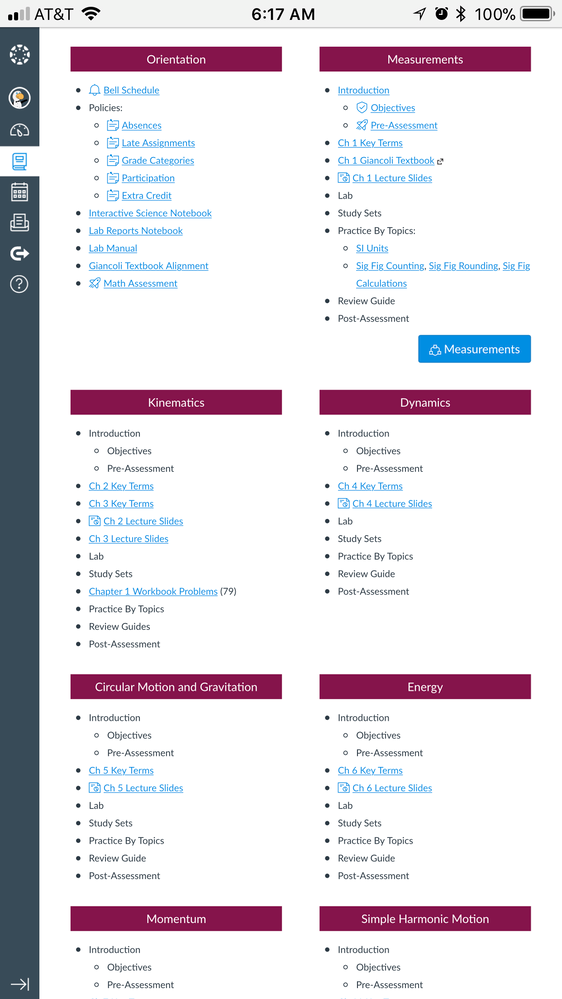
On the home page we put text to the effect, "All course content is located in Modules" and link to modules. Assignments are hidden to encourage students to go to modules, though it is probably true that they often do the ToDo list only. Think of Modules as a storyboard to your course. It is a list of activities and resources in order, but it is just a list. No prettiness, no pictures, no explanatory text. All of those need to be moved inside the descriptions, which is good for the todo list. For resources, such as those needed for a lecture or discussion, we recommend creating an ungraded assignment to gather all the resources and make it due when lecture or discussion starts. This has some added benefits. Because you date it, it will show up on the student calendar and todo list, it decreases the scroll of death, and you can add hints and guidelines for the reading. Modules also allows you to control when things are published or not, if you typically do not allow everything to be seen from the beginning of class. You can also control student movement through content, requiring completion before access is granted to further content.
Home page content:
This is typically set up as columns as Layne Heiny suggested, though it can be difficult to make that accessible. In some cases we have basically added the course schedule as an accessible table. Each row has the lecture date and then a link to an ungraded lecture assignment. We discovered it is important to do the lecture resources as an assignment rather than a page. If the instructor chooses to change the title, on a page that will change the link and break everything. If you change the title on an assignment, the link remains the same. The key here is to remind instructors that anything they want to provide for course needs to go into one of the lecture assignments or students cannot get to it. Modules, assignments are hidden.
A note on the syllabus page
Assignments and descriptions are really important if you use the syllabus page. It only lists things with due dates, and I don't think is shows practice quizzes. It must be used very carefully. If you do not put the resources needed for an assignment in its description, instead putting them in modules or elsewhere, students using the syllabus will never see them. Everything needed for the assignment needs to be in its description.
The combination course
In the past we have had courses with a lab site and a lecture site. We cannot run that structure in Canvas, so instead we are using both Canvas content plans. Lecture materials are placed on the home page in lecture assignments and all the lab content is placed in Modules. It seems to be working.
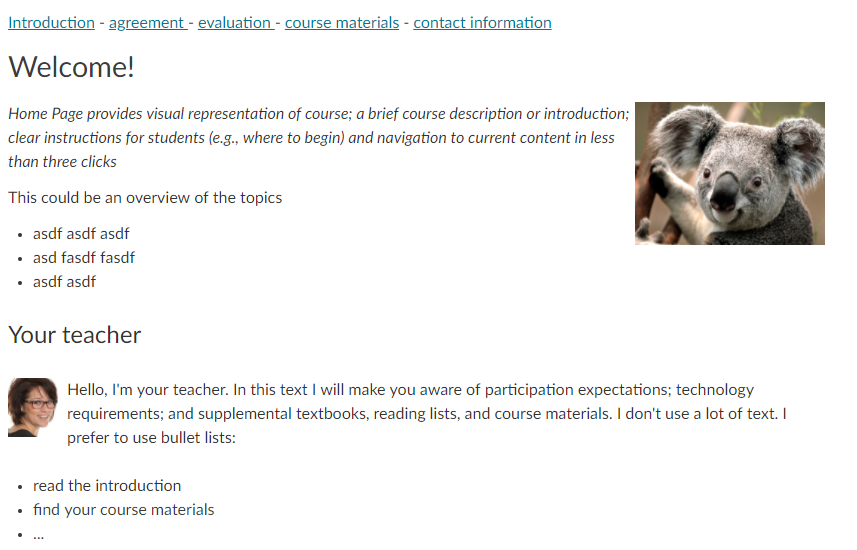
Hope that helps, and here's our typical home page used with modules as an example for you.







.png "tolinm")




This discussion post is outdated and has been archived. Please use the Community question forums and official documentation for the most current and accurate information.