@tina_christophe ...
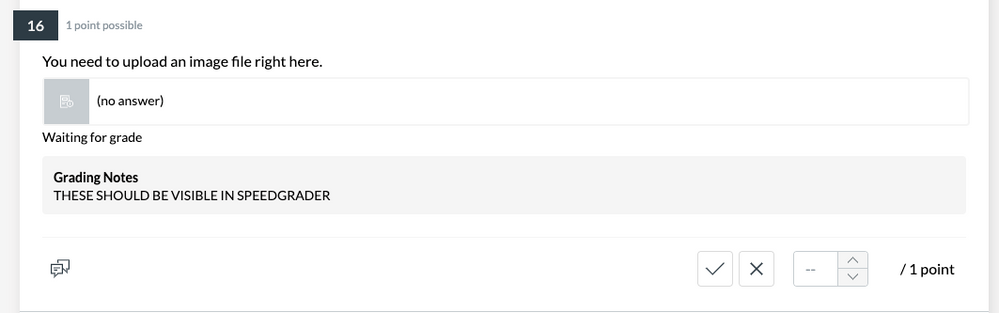
What question type are you trying to use in conjunction with Grading Notes in a New Quiz? In my own sandbox course, I went into an existing New Quiz I have in my course, and I looked at each question type. The only question type I could identify that has the Grading Notes option is the "Essay" question type. When I add an essay question to my new quiz, below the areas to give the essay question a title and a question/prompt, there is a section for "Options" with five check-boxes. Below that is the "Grading Notes" heading, and if you click on that, a text box appears where you can type in whatever text you'd like. This is described in:
To my knowledge, there is nothing extra that would need to be "turned on" in order to use the "Grading Notes" in an essay question of New Quizzes.
I hope this will help a bit. Sing out if you have any other questions about this...thanks!



 Welcome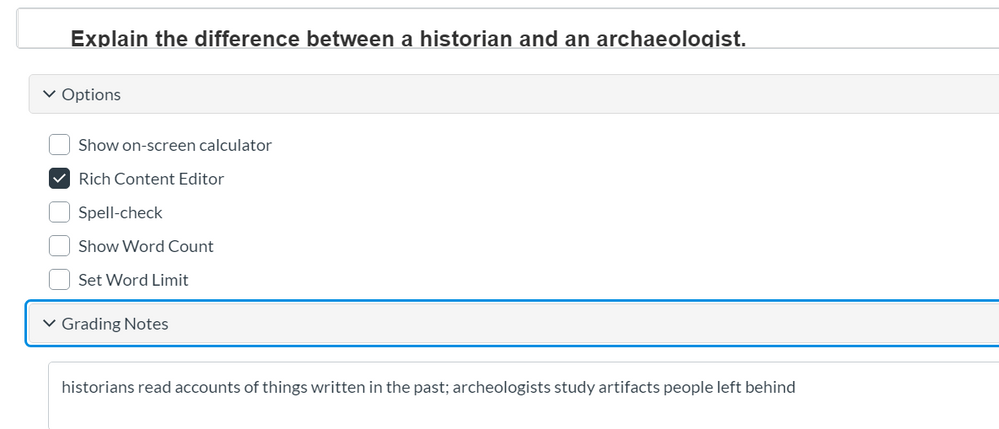




This discussion post is outdated and has been archived. Please use the Community question forums and official documentation for the most current and accurate information.