@jwelchans
I need to update my document -- the course roles can be obtained by the Provisioning Report, so that will let you find everyone who has a certain course role quickly.
The other question was interesting and I didn't know the answer. Rather than search for the answer, which may or may not be there, I decided to test it.
I created a course role called TESTING ROLE and added one of our fake testing accounts to it in a course. Then I went in and accepted the invitation, then went back and deleted the course role.
When I tried to delete the role, I got this pop up.
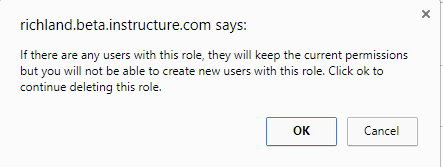
I clicked OK and then went into the course with the student.
The student was still there with the non-existent role.

However, when I go to the account page for that person, it shows them listed as a "Teacher" (that was the parent role I used to create the "TESTING ROLE").

However, when I look at the enrollments in the course from the People page filter, I don't get a "TESTING ROLE" and I get only one "Teacher" instead of 2.
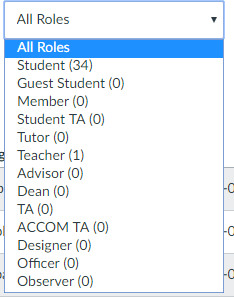
My suggestion would be to find all the people that have that course role and change their enrollment in that course before you delete the role. It appears that deleting a role that has active enrollments may result in unintended behavior.






This discussion post is outdated and has been archived. Please use the Community question forums and official documentation for the most current and accurate information.