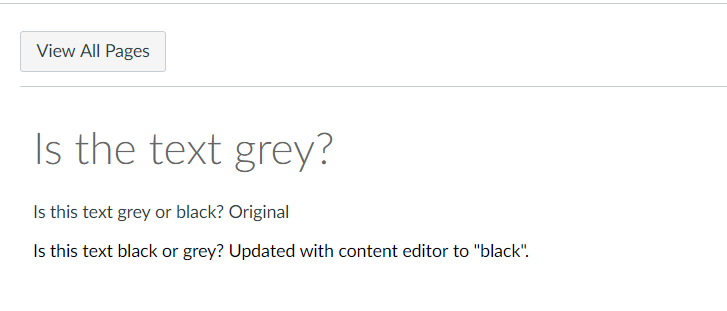
I am hoping that someone can give me some insight into why text on pages by default is grey and not black (see below). Reading within the Community it sounds like the default text color can't be changed at the course level but may be changed administratively for the entire institution. Looking at my administrative dashboard, it appears as though our theme is set to "basic branding".
The color scheme overall fits our institution well, but there is not as much contrast between the white background and text as I would like, and it is easy to forget when creating content to change the color from default to black.
Maybe this is the result of some other setting, but would appreciate any suggestions! I have tried in both Chrome and Firefox with the same results.

.png "ericwerth")

 ]
]


This discussion post is outdated and has been archived. Please use the Community question forums and official documentation for the most current and accurate information.