@SoMtnCommColl
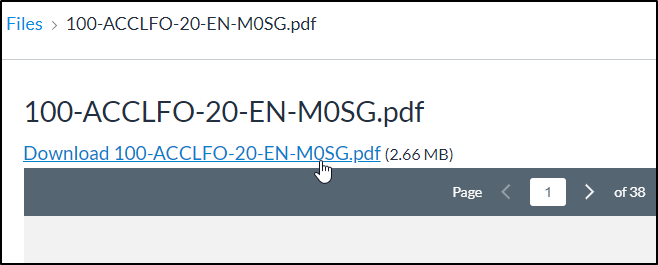
There is not much specificity in the previous suggestion. It would hide the first div in any #content container.
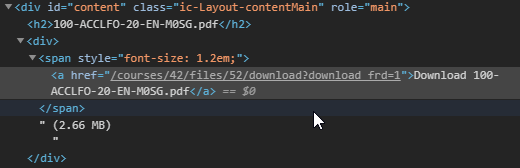
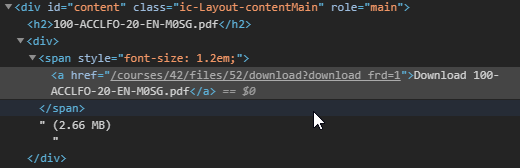
Looking at this now, there is a download="true" attribute in the anchor for the downloadable file. Worth discussing/identifying if there are places where it should be shown or not, or other locations where files are content with a download vs preview.
A safer suggestion might be (JS)
// hide download link for content files
[...document.querySelectorAll('div#content.ic-Layout-contentMain div:has(span > a[download="true"])')].forEach(d => {
	d.style.visibility = 'hidden';
})
or (CSS)
/* hide download link for content files */
div#content.ic-Layout-contentMain div:has(> span > a[download="true"]) {
  visibility: hidden;
}
The above works for files as module items, it does not stop a doc view download, or a link in a page to a file, which offers a download option, those require different selectors. This also doesn't prevent a user from viewing the source, getting the url, and adding /download to the file url to get it.