Canvas Outcomes
What are Canvas Outcomes?
- Outcomes enables the administration and faculty to track students’ progress as measured by pedagogical goals or desired outcomes/ competencies.
- Grading student work automatically collects and compiles data on student progress for the Outcomes.
Creating Outcomes in Canvas
Outcome Options
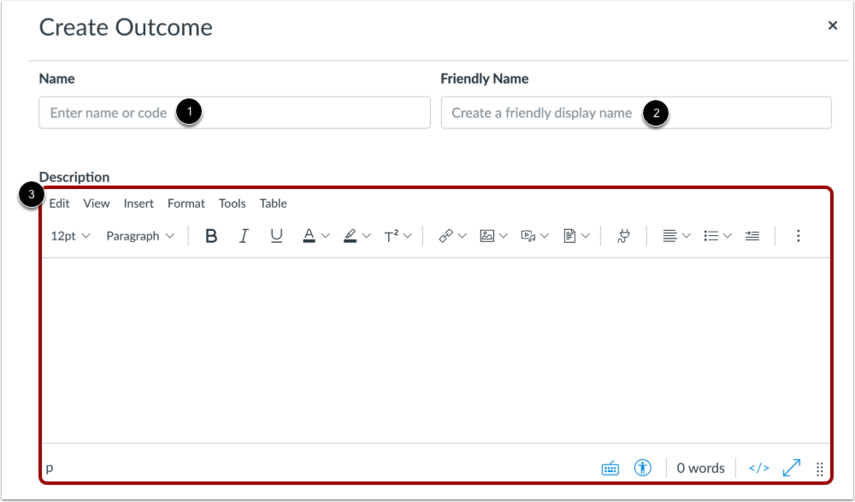
- Enter the name or code for the outcome in the Name field [1].
- To add a friendly name for the outcome, enter a name in the Friendly Name field [2].
- Use the Rich Content Editor to add an outcome description in the Description field.
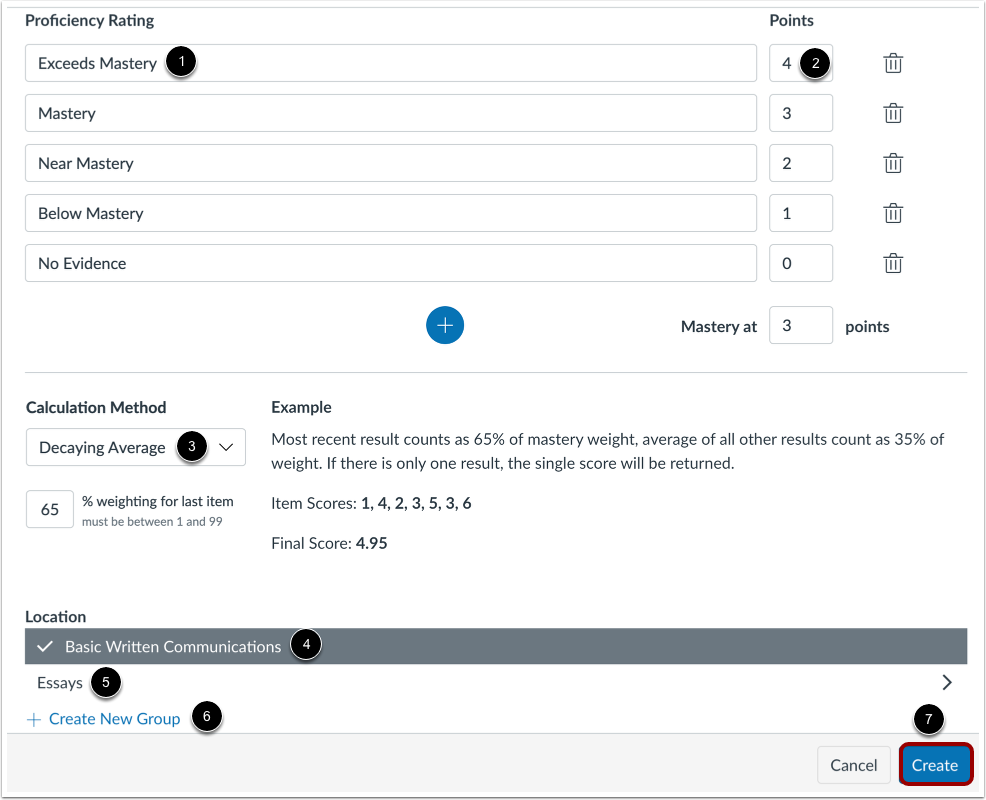
- To modify the name of the proficiency rating of the outcome, click the Proficiency Ratings field and enter the updated term [1]. To modify the number of the proficiency rating, click the Points field and enter the updated number [2].
- To change how the outcome is calculated, click the Calculation Method drop-down menu [3]. You can select Decaying Average, n Number of Times, Most Recent Score, and Highest Score. Calculation Method Descriptions.
- You can also select an outcome group for the new outcome. By default, the outcome will be placed in the course outcome group [4]. To select an outcome group, click the name of the group [5]. To create a new group for your outcome, click theCreate New Group link [6].
- To save your outcome, click the Create button [7].
Organizing Outcomes
- Outcomes can be organized into groups for program alignments.
 Top Tip Consider a naming convention to organize outcomes in account reports.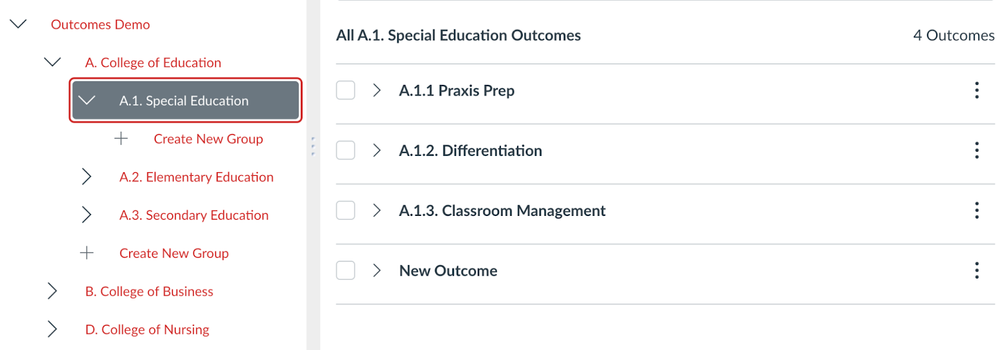
Importing Outcomes
Reporting
Account & Sub-account Reports
- Outcome Export: The Outcome Export report shows all learning outcomes in an account and includes details of all attributes associated with each outcome
- Outcome Results: The Outcome Results report shows the learning outcome results for all students
- Student Competency: The Student Competency report shows the learning outcome results for all students (includes associated assignment)