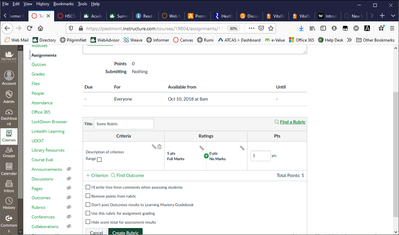
It's interesting that this is not an option for outcomes, but it is in a course level rubric. I've been given several suggestions, but they all seem clunky workarounds and each have their own aggravations.
You can set up fixed ratings with no range, but provide the range in the title or description. When scoring in SpeedGrader, you would enter a numeric value for each outcome in the rubric, rather than clicking on the rating in the table; however, because the outcome isn't set up as a range score. Even if you select a cell in the table, it "deselects" when you enter a number for the score. This is problematic if you desire the actual box on the rubric to be highlighted to identify the score range.
It is also problematic when exporting the results; for me the text title doesn't always appear in the data and is sometimes there but not the correct rating scale title (e.g. numeric score indicates Acceptable, title for the score indicates Needs Improvement - this happens frequently in my tests.)
One suggestion was to double up the outcomes with a duplicates in the rubric (but the copy of each is set as a course level range score). So, for every program level outcomes, there is a rubric criterion that allows a range score. Faculty would score the program level using the first account outcome by selecting the rating only, no numeric value. They would then score the second criterion using the range scores. I'm not sure if that makes sense. And honestly, I don't care for this solution. It's repetitive and no doubt an aggravation for faculty to have to score every outcome twice.
Another solution is setting up the rubric with the outcomes (with specific scores), entering score values in the criterion comment line for the student. Include a total assignment score as a rubric criterion (this can be set up as a range) - this will be scored and used as the grade for the assignment. Not exactly ideal, but it works and is much cleaner and less work for the faculty.
One thought - your set up needs to agree with how you want the data to appear in your outcome report. If you need numeric scores, then this really isn't ideal. If your report can depend on the rating scale title (e.g. Exemplary, Satisfactory, etc.), then both ways will work.
I would love to see ranges added to account level outcomes because I'm seeing it come up frequently.





This discussion post is outdated and has been archived. Please use the Community question forums and official documentation for the most current and accurate information.