Hi @jgreene31 ...
Once you have added comments as described in the Guide that I had linked to earlier, students can then go to their own "Grades" page to view the comments you left for them. In their "Grades" page, they would click on the name of the quiz in your course. They would see a "Submission Details" screen. They can then scroll down the page to view the feedback for each question. For example, here is an example of a question I made in my own sandbox course (I'm somewhat of a Peanuts comic strip fan)...
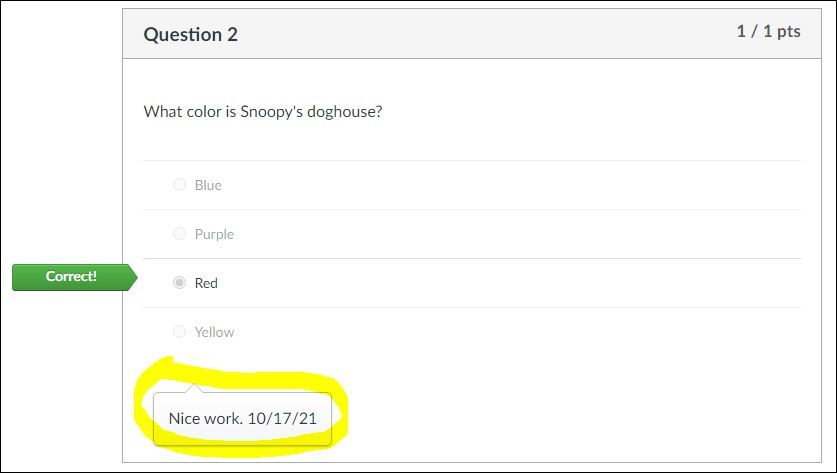
So, as you can see, the comments that a student would see are pretty much in the same spot as where you would type those comments when viewing the quiz submission in the SpeedGrader.
Hope this helps!





This discussion post is outdated and has been archived. Please use the Community question forums and official documentation for the most current and accurate information.