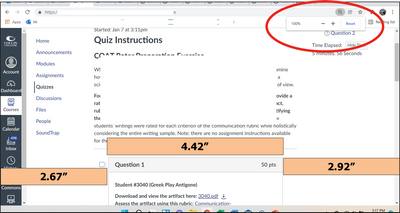
Is there any way to increase the width of "classic" quiz windows? There is a big discrepancy between the question development display and the student display. To begin with, I usually work with my screen at 80% zoom so that I can see more on my laptop. When I build a question, it looks like there is enough width and I can properly format the image and the text. However, when I actually look at what the students get, it is significantly narrowed. The quiz content boxes barely fill half of the width of the computer screen. This is a ton of wasted space that could be used to display questions.
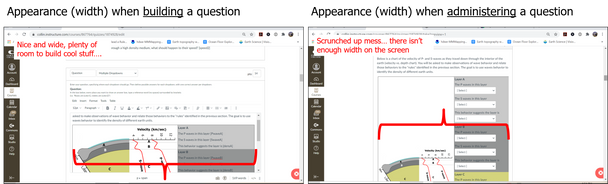
Canvas quizzes are used for more than just the classic text-based multiple choice tests where narrow is actually better. People are trying to build lab exercises and more complex assignments that include images, tables, figures, and text. A wider window is needed for such things.
So, is there a workaround or a magic button to press? If I can't do anything about the width, what is the optimal way to view the question development page so that what I build is exactly what the students get?







This discussion post is outdated and has been archived. Please use the Community question forums and official documentation for the most current and accurate information.