The Instructure Community will enter a read-only state on November 22, 2025 as we prepare to migrate to our new Community platform in early December. Read our blog post for more info about this change.
Hi all,
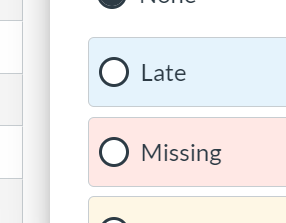
I'm new to Canvas and I'm looking for a way to mass-enter (or even just quickly enter) the "missing" label. I see that you can type "ex" in the grade box for excused but you can do "m" or something for missing? I feel like that can't be. These are assignments I'm grading manually.
I'm suffering from remote learning so a HUGE number of kids are not turning in assignments. I can't go through my hundreds of students and click on the
There has to be an easier way to do this. Help!
Hi @Bradcarson
Canvas will automatically apply the "Missing" label once the due date/time has passed. You can learn more at How Do I use the Gradebook?
So be sure to include a due date when you create an assignment. Learn more at How do I add or edit details in an assignment?
Kelley
I had the due date set to 9/11 and this assignment wasn't showing the red missing label in the gradebook.
It was an assignment I was manually inputting the grades. However, my FlipGrid assignment, that was due at the same time, and using the speedgrader, did not have the missing label either.
I did remove the "available from and to" dates because the kids are having such a hard time with connection issues from home. Is that why I'm not getting missing?
Hi @kmeeusen ,
Gradebook does not automatically mark all assignments as missing if you are using 3rd party tools or the assignment requires any sort of manual grading.
Having to go in searching through over 160 students for multiple assignments to marks items as missing is so time consuming, especially having to click to wait for each individual's menu to pop open to click "missing".
There should be a shortcut to mark as missing similar to "EX" for excused. Even better, the "Set Default Grade" option should allow you to set any non-graded items as missing, instead of just inputting a 0.
"Set Default Grade" option should allow you to set any non-graded items as missing, instead of just inputting a 0
This would be a marginally acceptable compromise for the moment, but this entering every missing grade manually is ridiculous.
I read on a different thread that someone is looking into options for letting 3rd party apps be recorded as missing if they're not submitted by the due date.
But this is Canvas, so I'm not holding my breath.
That only works if you set it to do so for an upload assignment. I have issues with this for anything that is assigned "on paper".
Hi! While this won't address all of the pieces of the thread here, I wanted to share that Saving Instructors Time: Keyboard Shortcut for Missing was announced with the Canvas Deploy Notes (2023-01-04).
Another thing to consider: what if all students in a course have different due dates? Asynchronous, self-paced education is on the rise, so Canvas would do well to come up with a solution for external tool assignments to be marked as missing automatically, because it's even more time-consuming for teachers to have to look at each individual student's due date and mark it missing, manually, accordingly.
Community helpTo interact with Panda Bot, our automated chatbot, you need to sign up or log in:
Sign inTo interact with Panda Bot, our automated chatbot, you need to sign up or log in:
Sign in
This discussion post is outdated and has been archived. Please use the Community question forums and official documentation for the most current and accurate information.