Hi Michael Goldhardt,
First, you will want to replace your screen shot with one that does not show student names since this community is available to the internet at large.
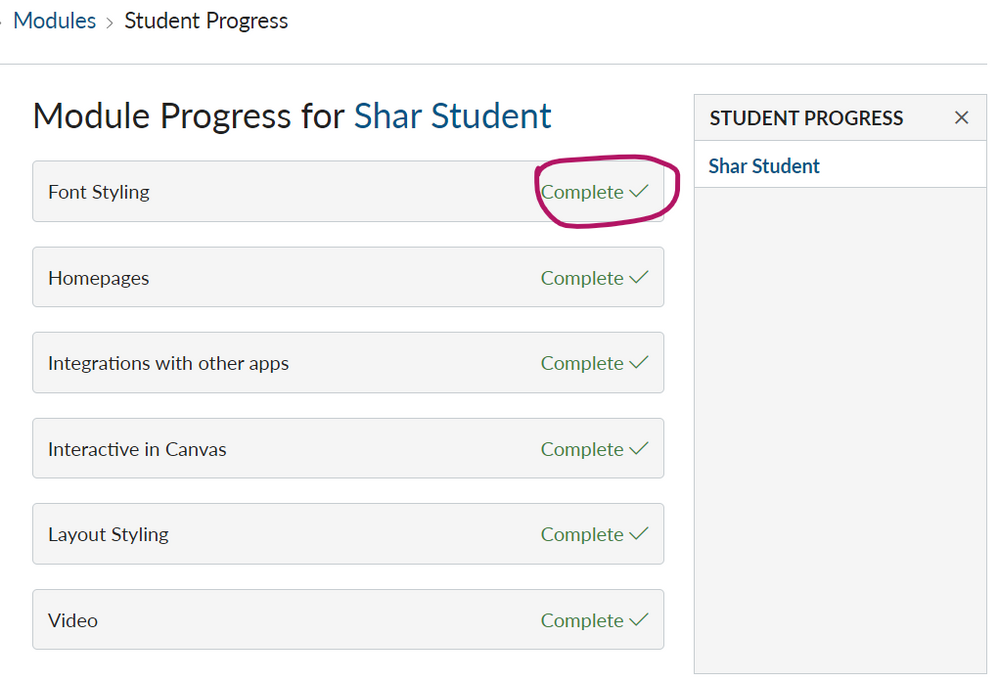
Next, your teachers will want to actually put in the module requirements to the items in the modules. https://community.canvaslms.com/docs/DOC-13134-415261967
Without the requirements to See, Mark Done, Submit, or Contribute on the individual items, the modules will show as complete for any students.
But when I add a new module and put in some requirements via More -> Edit:
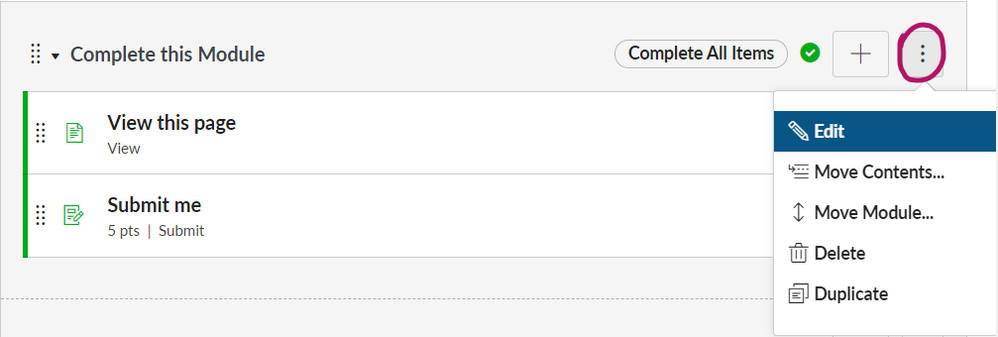
Before a student looks at the items in the module, the teacher sees the module is unlocked:

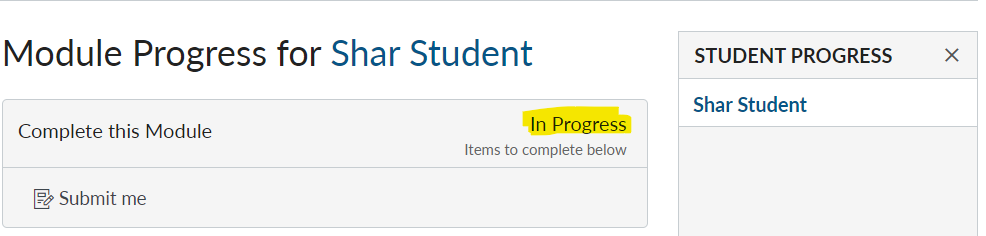
And if the student just looks at the first item, the teacher sees what the student has left to do to complete the module:
The student sees the work they have completed with a green check-mark:
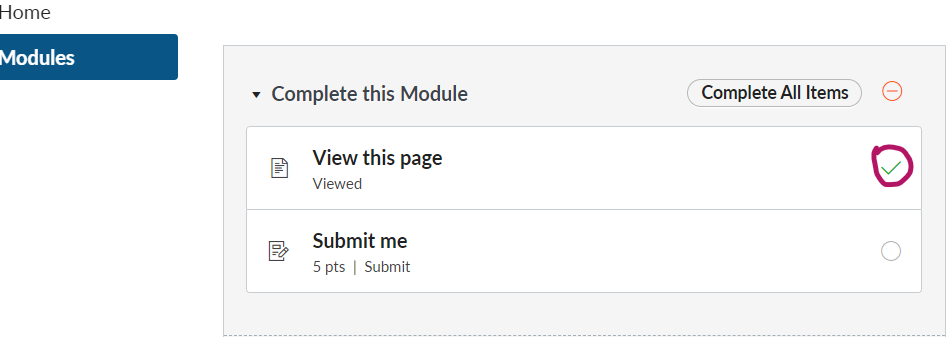
My best advice is to make the first item in the module View so that you can tell a student has at least started the first item in the module. Keep in mind View just lets us know that the web browser entered that web page; we don't know if they actually read anything on the page.
Hope this answer helps,
Cheers - Shar


.png)
This discussion post is outdated and has been archived. Please use the Community question forums and official documentation for the most current and accurate information.