
[ARCHIVED] Uploaded images no longer function in Safari

- Mark as New
- Bookmark
- Subscribe
- Mute
- Subscribe to RSS Feed
- Permalink
- Report Inappropriate Content
Uploading and embedding images in Canvas during last academic term worked fine...
[Addendum: Following suggestion from browser guide, I tried using in a Safari "private window." That workaround revealed the images. I've cleared cache and history, and the problem in a normal window remains.]
Now, the images I had uploaded into the course images folder no longer appear--in the desktop Safari environment (ver. 13.1). They are working on the Canvas iPhone app and in desktop Firefox (ver. 74) browser. This is true for courses successfully run last term AND courses I'm creating for the term that starts next week.
I have cleared desktop Safari's history and cache. Here's what I'm seeing"
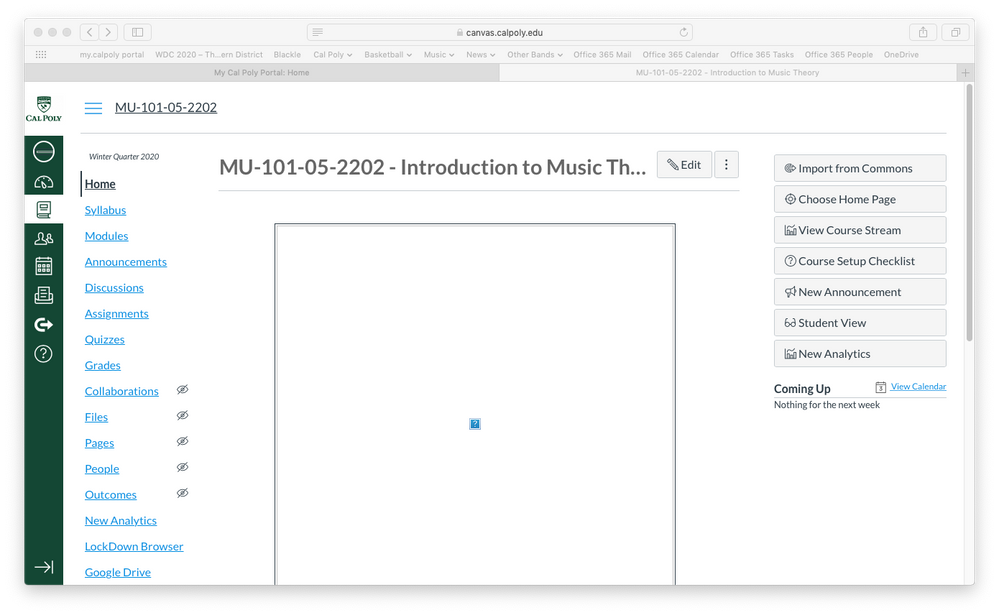
• Course home page banner:
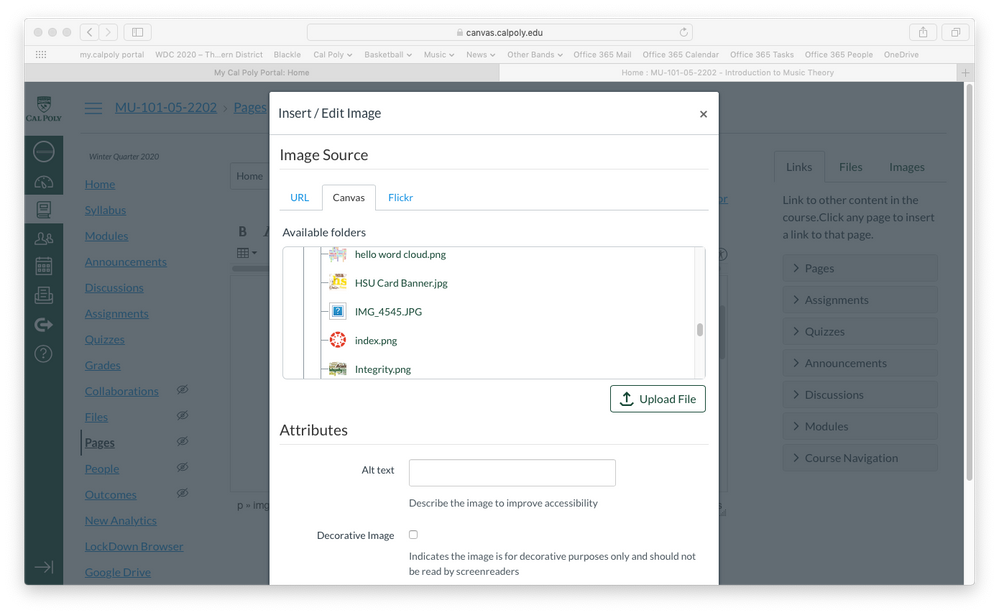
• Embed images window showing the icon. Note the images that came in with the template import are fine. They also embed just fine if I choose to use those instead. It's just the images I uploaded into the Canvas course that are unavailable--though they USED to be.
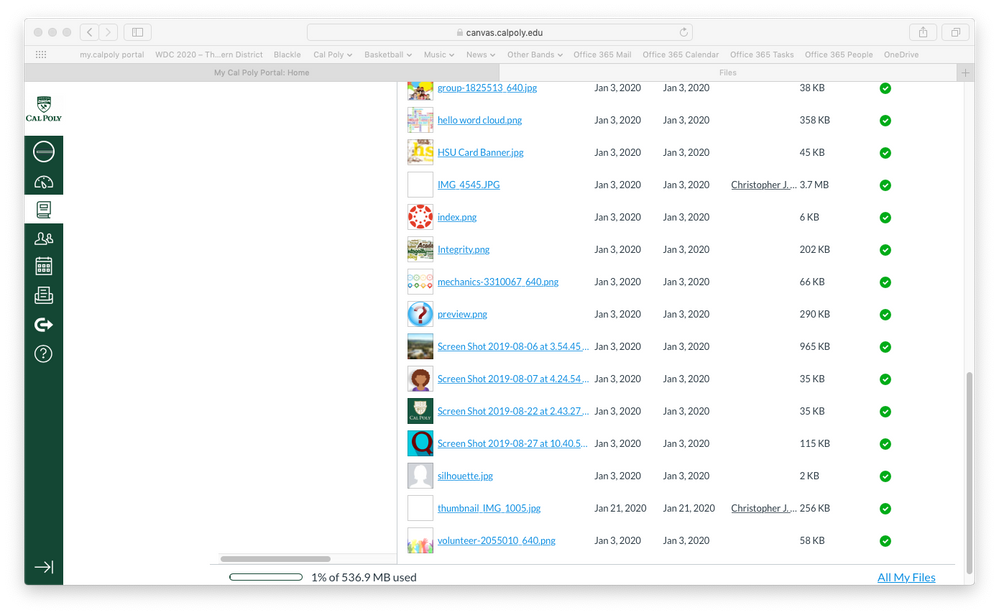
• And here's what it looks like when I go to the Files course images folder. The two images with blank thumbnails are images I uploaded. Again, this is true for course I created last quarter AND for this coming quarter.
Any guidance on this will be helpful as I create content and assessment for music that are image intensive!
Solved! Go to Solution.


- Mark as New
- Bookmark
- Subscribe
- Mute
- Subscribe to RSS Feed
- Permalink
- Report Inappropriate Content
Thanks to everyone who has commented here thus far. If you haven't already, would each of you please submit tickets to Canvas Support? How do I get help with Canvas as an instructor? provides general instructions, but if your school has provided its own pathway to support, please used that to initiate the case. Having as many cases as possible to inspect will make it easier for our support team to investigate and address this.

- Mark as New
- Bookmark
- Subscribe
- Mute
- Subscribe to RSS Feed
- Permalink
- Report Inappropriate Content
Hello All,
I have the same issue. I have figured out a workaround:
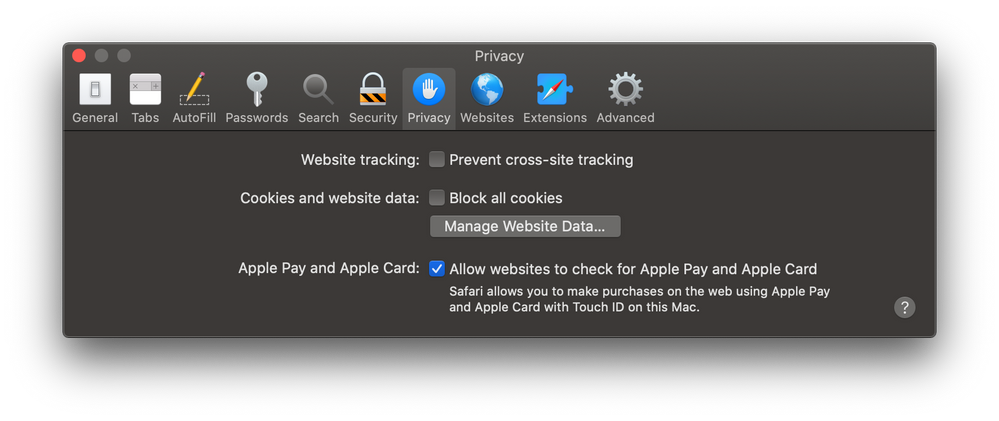
Disable "Prevent cross-site tracking" in Safari preferences.
I believe the issues is that uploaded images in Canvas are technically posted on a different site (and have very long complex urls). I think this is being interpreted by Safari as "cross-site" tracking. I will submit a ticket with this information.

- Mark as New
- Bookmark
- Subscribe
- Mute
- Subscribe to RSS Feed
- Permalink
- Report Inappropriate Content
Has there been any progress made towards a solution on this issue? I submitted a ticket a month ago and never heard a word. Trying to get students to use a "work around" is not really a solution.



This discussion post is outdated and has been archived. Please use the Community question forums and official documentation for the most current and accurate information.