Hi Joseph,
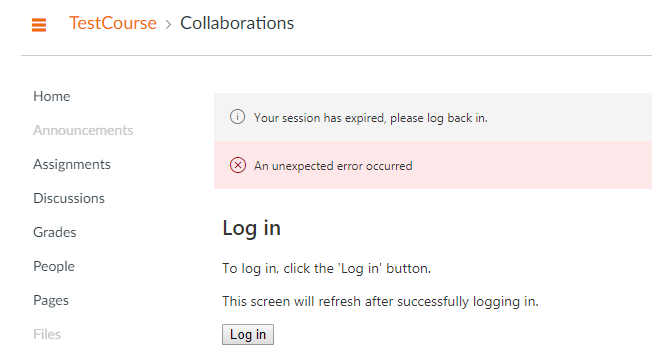
yes, indeed we did. Finally, Canvas support understood the problem was NOT related to Azure....Also our CSM had to assist with a key.
The let us know we had to enable the LTI tool Microsoft Office 365 to be used for your Collaborations inside our Canvas.
Here a quote fro their response, which fixed the issue for us (some menu option are displayed in Danish):
"It an external LTI tool that does need to be enabled inside your Account and I would be glad to detail that process.
To do so please go to the Account Settings. There you will see the tab labeled 'Apps'. Click on that tab to access your Account applications that you have enabled and we can search for Apps that have not yet been enabled as well. https://www.screencast.com/t/8VrFpbIO53U To install Office 365 correctly we would need to update the link inside your App Configuration. Click on where it says "Vis-app Konfigurationer". This will bring you to your Account level app configurations. To reconfigure that app click the gear icon next to the MIcrosoft Office 365 app. https://www.screencast.com/t/U6GtGwcg Click Rediger. This will bring you into the app configuration for that tool, and we would need to make sure that URL is updated. For Canvas schools serviced in other regions worldwide please contact your Canvas Customer Success Manager (CSM) for a region specific key/secret and configuration XML url. Once that has been updated, you would need to install that inside your app configuration under Eksterne app'er. If you are in need of that specific URL that you use to update that app we can include your CSM to provide that for your. Please let us know how this helps or if I can assist further.
Thank you,
Chase S L1 Canvas Support support@instructure.com"
Regards
Jytte










This discussion post is outdated and has been archived. Please use the Community question forums and official documentation for the most current and accurate information.