Admin Tools
Restore Deleted User [Delayed as of 2024-02-15]
Admin
Summary
In Admin Tools, the Restore Course tab is renamed Restore Content and Account Admin can restore deleted users.
Change Benefit
This functionality allows administrators to recover deleted users directly within the Canvas interface, eliminating the sole reliance on SIS imports for this process.
Feature Workflow
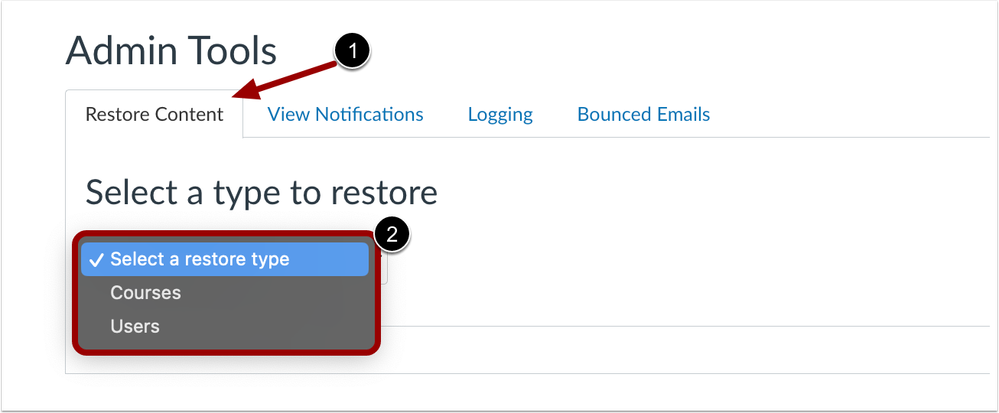 Account Settings Restore Content Drop-Down Menu
On the Admin Tools page, the tab is renamed Restore Content [1]. Click the Select a type to Restore drop-down menu and select Users [2].
Authentication
SMS for Authentication Provider Checkbox
Admin
|
Affected Feature Areas
|
Authentication
|
|
Account Setting to Enable
|
None
|
|
Permissions
|
Account-level settings - manage
|
|
Related Ideas
|
None
|
Summary
When setting up Multi-factor Authentication (MFA), a Send one-time passcode via SMS (US Carriers Only) checkbox is available and enabled by default.
Change Benefit
This feature allows admin to opt-out of SMS for their authentication provider.
Feature Workflow
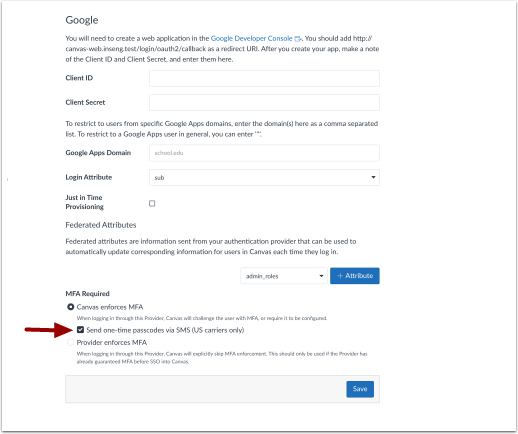 MFA Send One-Time Passcodes via SMS Checkbox
To opt-out, click the Send one-time passcodes via SMS (US carriers only) checkbox.
Additional Details
Canvas only supports US based SMS carriers for sending one-time passcodes.
People
Deleted Users in Search Results [Delayed as of 2024-02-15]
Admin
Summary
On the Account-level People page, admin can use the Include deleted users in search results checkbox when searching users.
Note: The checkbox does not display if the account has no deleted users.
Change Benefit
This functionality allows admin to easily search deleted users within the user interface.
Feature Workflow
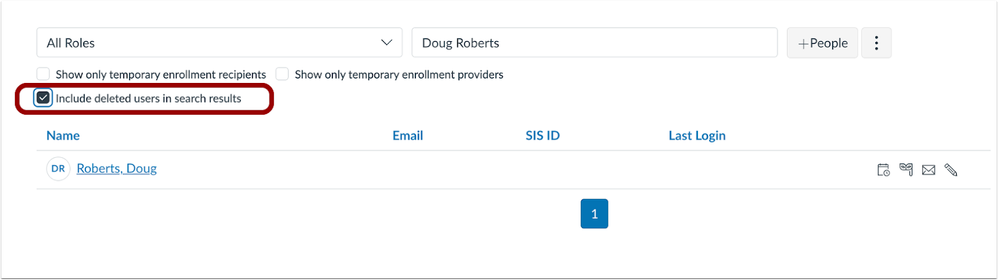 People Include Deleted Users in Search Results Checkbox
To include deleted users in a search, select the Include deleted users in search results checkbox.
Settings
EduAppsCenter Token Validation
Admin
|
Beta Environment Availability
|
Not available in the beta environment
|
|
Affected Feature Areas
|
Apps
|
|
Account Setting to Enable
|
None
|
|
Permissions
|
Inherent to User
|
Summary
When an invalid access token is entered in the EduAppCenter, no tools display.
Change Benefit
This update improves security by preventing apps from displaying when an invalid access token is entered.
Additional Details
Previously, when an invalid access token was entered all apps displayed.