Can't Sync Course Settings to Associated Courses w/out Editing Content

- Mark as New
- Bookmark
- Subscribe
- Mute
- Subscribe to RSS Feed
- Permalink
- Report Inappropriate Content
12-13-2023
02:30 PM
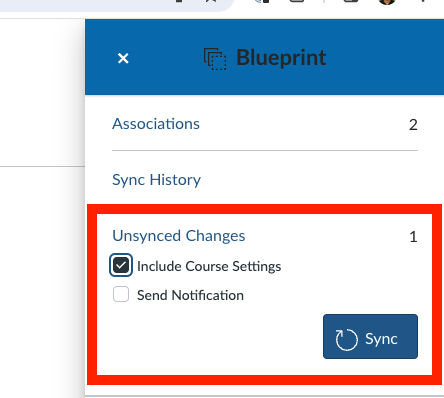
I needed to update the navigation menu in 27 Blueprint courses (added "Grades" to the menu). After I made this update the option to sync to their associated courses was not available. The only way I could trigger the Sync button to appear was to either change the course title or edit any course content, save, revert my edit, save, and only then would the Sync button and "Include Course Settings" option would appear.
So basically there is no way to just sync course settings. You would need to make any type of edit to other parts of the course in order for the option to sync to be possible. Is this a bug or intended behavior? I didn't see any mention of this in the Notes section here: