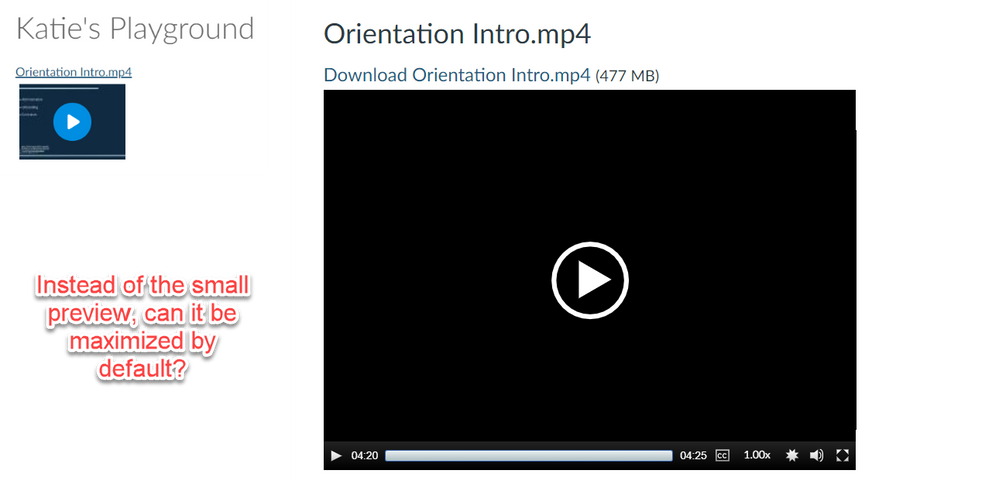
I spent some time playing with this problem because it seems like something you could customize in the HTML editor. The short answer is no, you cannot customize the Canvas media player to open by default. Details below.
Getting the media URL
Canvas uses their own API to serve videos. The link in Files is a download link that also uses the API to get the raw file for the user, so it can't be used as a video source. If you play the video, then right click and inspect the file, you'll see a div with the class "mjs-mediaelement". Inside that div, there is an HTML5 <video> element and the raw sources for several display sizes of the file. The structure is below:
<div class="mejs-mediaelement">
<video width="1098" height="604" preload="metadata" src="https://nv.instructuremedia.com/fetch/a-very-long-video-ID.mp4" style="width: 100%; height: 100%;">
<source type="video/mp4" src="https://nv.instructuremedia.com/fetch/a-very-long-video-ID-thats-the-same-as-above.mp4" title="1308x720 304 kbps">
<source type="video/mp4" src="....mp4" title="872x480 199 kbps">
<source type="video/mp4" src="....mp4" title="654x360 172 kbps">
</video>
</div>
If you copy one of the source attributes into the browser, you'll see your raw file served from an Amazon AWS server. This source file can be used in an empty <video> container you write into the HTML editor of the page:
<video width="100%" height="auto" controls>
<source type="video/mp4" src="https://.......mp4">
</video>
That allows you to set the height and width of the file, but you lose accessibility options, which is probably a dealbreaker in most cases.
Grabbing the whole video player as HTML
My next attempt was to inspect the Canvas video player and extract the HTML they use to build it. The thought was that you could save a template file and replace the source files using the method above. Since it's just a player wrapped around a <video> element, you would be able to define the height and width.
The problem with this method is that Canvas strips certain HTML tags when you write custom pages. The player relies on <button> elements for controls (play/pause in particular) that are stripped out when the page is saved. So, the container looks nice and big, but you can't actually play the video.
Conclusion
It looks like you're original hunch, using iFrames, will be the easiest. That way, you get total control over the display without losing the accessibility items. I'd love to see Canvas work some of these customization features into the platform.