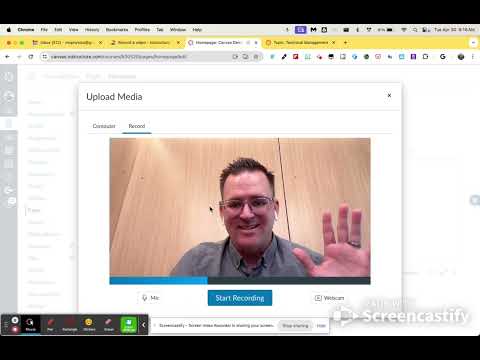
Hi @Jaree66, glad you asked a question about how to record video in Canvas. I am happy to share with you how you do this as a teacher and as a student. The quick steps are:
Open a Page, Assignment, Discussion where you can edit the content.
Place your cursor on the page where you want the video to be inserted.
Click the MEDIA icon in the Rich Content Editor Toolbar.
Choose Record/Upload option
Record your video ( you might have to allow camera and mic access the first time)
Name your video
Save your video and it will automatically embed it for you.
If you want to see the written instructions, please refer to the Canvas Community guide for Instructors or for Students.
Hi @Jaree66, glad you asked a question about how to record video in Canvas. I am happy to share with you how you do this as a teacher and as a student. The quick steps are:
Open a Page, Assignment, Discussion where you can edit the content.
Place your cursor on the page where you want the video to be inserted.
Click the MEDIA icon in the Rich Content Editor Toolbar.
Choose Record/Upload option
Record your video ( you might have to allow camera and mic access the first time)
Name your video
Save your video and it will automatically embed it for you.
If you want to see the written instructions, please refer to the Canvas Community guide for Instructors or for Students.